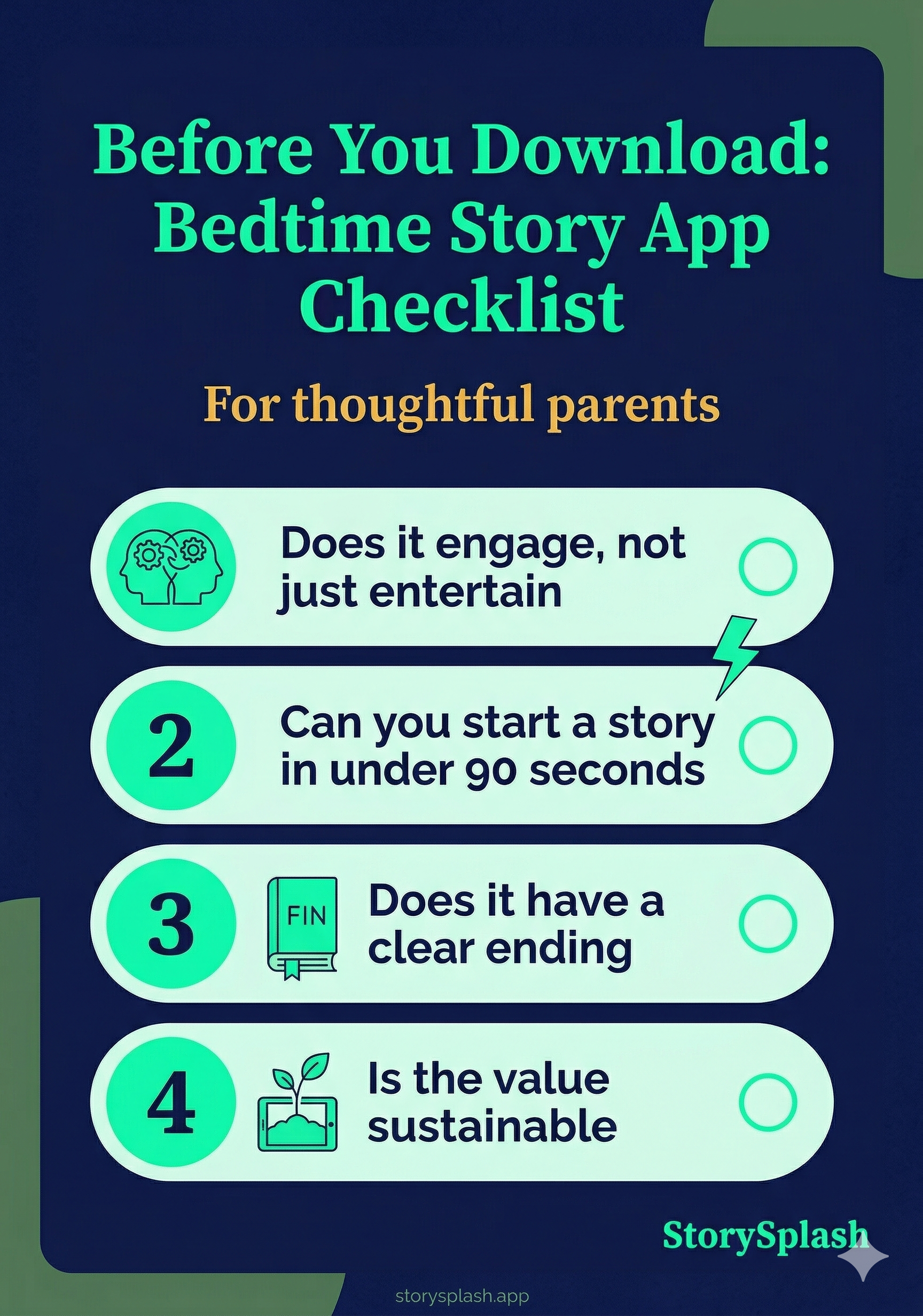
There are dozens of bedtime story apps in the App Store. Most of them look fine in the preview screenshots and disappoint within a week.
Before you download another one, here are the four things that actually determine whether an app holds up — based on what parents of 3-to-10-year-olds consistently run into.
There’s a free printable checklist below if you want to compare apps side by side.
Does the Story Engage Your Child or Just Entertain Them?
There’s a meaningful difference between a child who is watching a story and a child who is in one. Passive entertainment keeps them quiet. Active engagement — where they’re leaning in, predicting what happens, asking questions — is what actually helps them wind down and fall asleep more easily.
The best bedtime story apps use personalisation to bridge this gap. When your child’s name is the main character, their brain is doing real narrative work. That’s engagement. And it’s why apps that swap a name into a fixed template still fall short: personalisation needs to be woven into the story, not bolted on.
Practical tip: Ask your child what happened in last night’s story. If they can’t remember, the story wasn’t engaging enough.
Will You Still Use It on a Tired Tuesday Night?
This is the most underrated question. An app that requires you to perform, improvise, or make creative decisions at 8:30pm on a school night will quietly stop being used. Friction compounds over time.
Look for apps where you can start a story in under a minute, without navigating through menus or making too many choices. The best bedtime apps are the ones where the parent’s job is to sit next to their child and read — not to produce content from scratch.
The routine only works if it’s repeatable. If the app creates a barrier, the routine breaks.
Practical tip: Time yourself getting from app launch to a story beginning. If it takes more than 90 seconds, the app will start to feel like effort.
Does the Content Have a Beginning and an End?
Infinite content engines are designed for engagement, not sleep. An app that automatically queues the next story, suggests more content, or keeps a child’s attention after the story ends is working against the purpose of a bedtime routine.
The best bedtime story apps do one thing at the right time: they deliver a story, finish it naturally with a sleep-ready ending, and stop. There’s no autoplay, no “one more chapter,” no notification pulling your child back in.
This is harder to judge from an app store page, but worth testing. A good bedtime app respects the transition from story to sleep instead of fighting it.
Practical tip: Check the app’s default settings. If autoplay is on by default, treat that as a warning sign.
Is It Worth the Subscription Cost?
Most good children’s apps cost money. That’s fine — the question is whether the value holds over months, not just the first week. Apps with a fixed content library tend to plateau when your child has seen everything they’re interested in. Apps that generate new, unique stories each time don’t have this problem.
Calculate the value against your household’s real cost: a typical storytime subscription runs less than two picture books a month and delivers new content every night. If it reduces bedtime friction even two or three nights a week, the value is straightforward.
StorySplash starts with a free trial — two full personalized stories before you pay anything — which is the right way to test whether it fits your routine before committing.
Practical tip: Use every free trial before subscribing. Most quality apps offer one, and the first few nights tell you a lot about whether your child will stay engaged.